
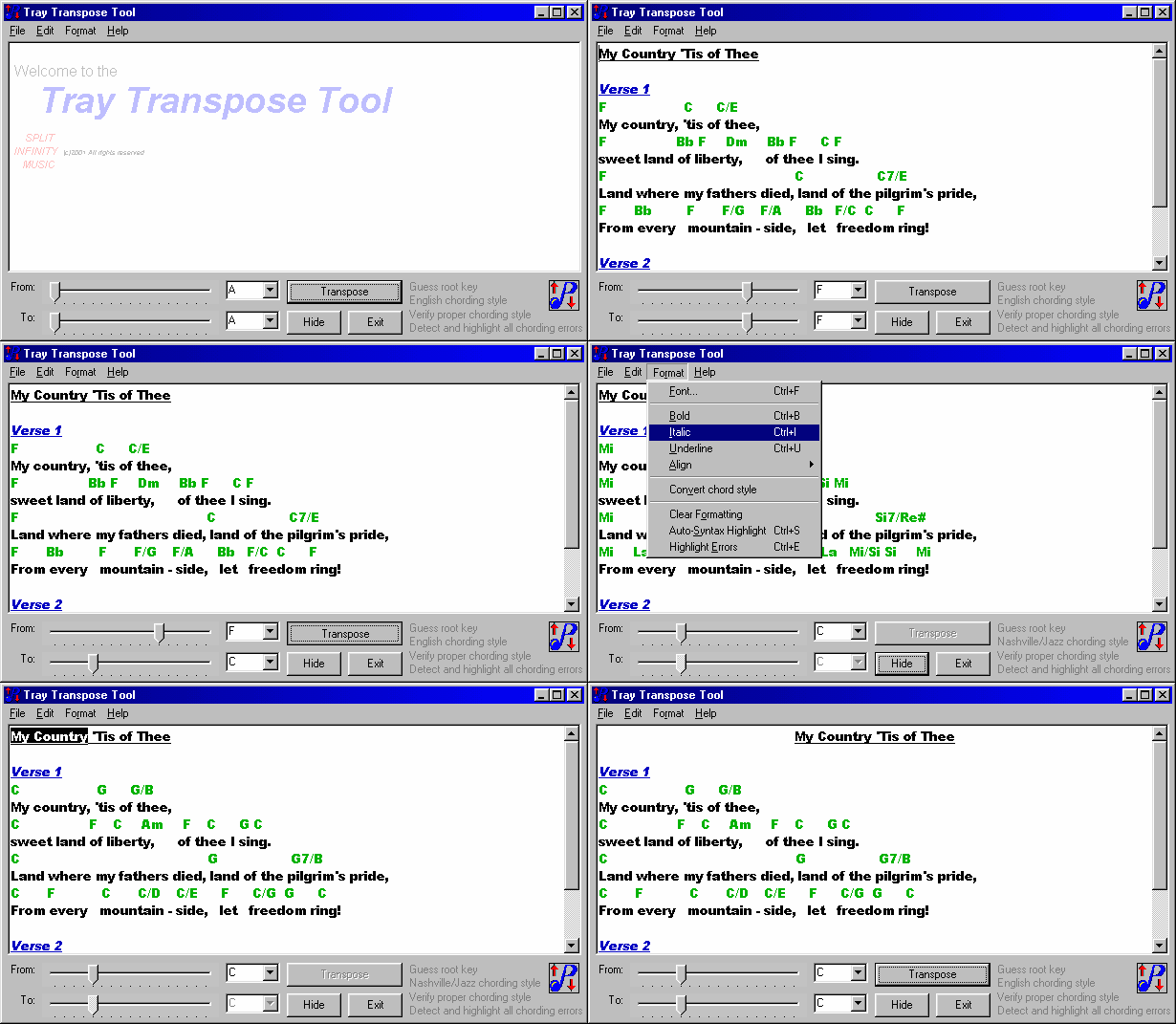
A small, quick application for Windows that lives in your system notification area (the “system tray”).
Free to use, with paid support only.
Download the Tray Transpose Tool Windows installer, about 3 MB
Need to transpose a song?
Copy the lyrics and chords of a song from whatever Windows program you use, click the tray icon, and up pops the Tray Transpose Tool with the clipboard contents already shown. It'll even guess the root chord for you.
Simply select a new key, click Transpose, and the clipboard will contain your freshly transposed song, ready to paste back into your own Windows programs.
Since the Tray Transpose Tool supports rich (formatted) text, your own application's fonts, styles and colors are all preserved.
It also supports three different chording styles: the standard English style (A B C), the Latin or Spanish style (Do Re Mi), and the Nashville or jazz style (I II III). It converts between the formats, and can even automatically detect when you're importing a different format.
No file or printer functions are included; we leave this up to your own software. Need something more potent? Try Worship LIVE!, with all of the Tray Transpose Tool's transposition features plus song databasing, printing, projection, and playlists for comprehensive worship planning.
Features
- Instant transposition
- Chord syntax checking
- Root chord guessing
- Improved chord recognition
- Expanded chord types
- Support for Nashville/Jazz chords
- Support for Latin/Spanish chords
- Formatted text support
- Automatic syntax highlighting
- Optional use of the system tray
- Check web site for updates
Unlock information and support
The Tray Transpose Tool has been retired and is no longer actively maintained, so it's free to use, and so is the unlock. We recognize it's still valuable to many people. However, support is not free. Support is billed at $20 per half hour, with a $20 minimum and $50 maximum per incident, paid via PayPal.
I understand there is no free support and wish to see the unlock information.
- User name
- No Support Free Unlock
- Key code
- UQJHCSEXNC
Free technical tips are collected in our support notes.
System requirements
This software was developed for Windows XP and newer. If your system can run any modern version of Microsoft Windows, it can run this program. Run the installer as administrator, and you may need to set compatibility mode for Windows XP. Our support notes explain how.